GPT Image 2.5 Flare Medium
GPT Image 2.5 Flare at medium quality: OpenAI's default recommendation for most image work, tuned for speed while improving on GPT Image 2's output. Strong instruction following, sharp text rendering and natural lighting make it the all-round pick for marketing creative, mockups and editorial images.
At a glance
- Price
- 5 Credits
- Our rating
- Speed
- Fast
What GPT Image 2.5 Flare Medium is best for
How GPT Image 2.5 Flare Medium performs
Strengths
- elite prompt adherence with fast turnaround
- sharp, accurate text rendering
- natural lighting and rich textures
- handles dense, structured prompts
Limitations
- less fine detail on intricate subjects than Sunburst
- costs more than budget generators like Flux 2 Klein
How to prompt GPT Image 2.5 Flare Medium
Practical tips to get the most out of GPT Image 2.5 Flare Medium.
- 01write prompts like an art-direction brief
- 02put exact on-image text in quotes
- 03name lighting, lens and mood explicitly
- 04pass a reference image to keep a subject consistent
Tips are tuned for GPT Image 2.5 Flare Medium specifically.
Made with GPT Image 2.5 Flare Medium
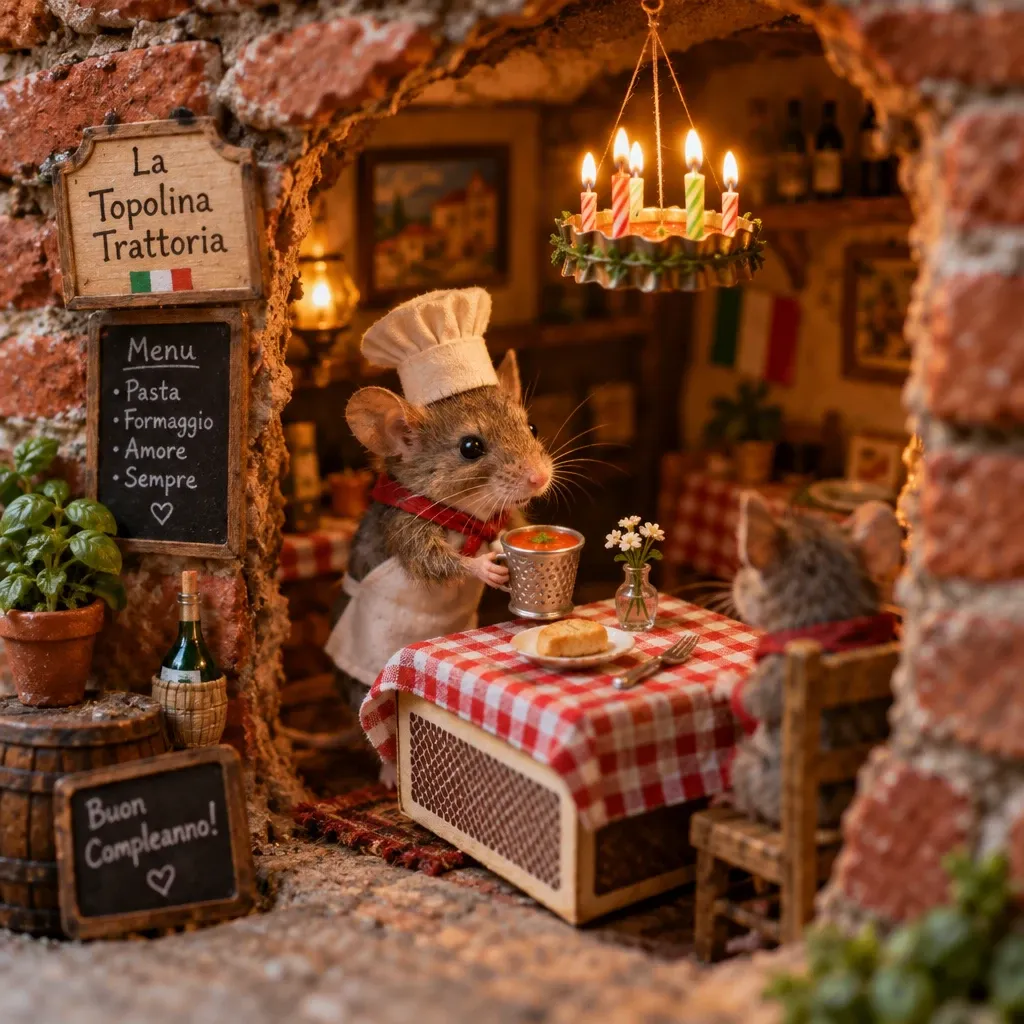
Prompt: A tiny mouse running a miniature Italian restaurant out of a hole in a brick wall — checkered tablecloth on a matchbox table, a birthday candle chandelier that is suspended from ceiling with thread, and a thimble of tomato soup for the guest. Soft warm light, macro photography style, shallow depth of field. Suggested Presets to Help You Get Started Sometimes the hardest part of creating is getting started. Meta AI now includes a presets panel with suggested prompts to help inspire you. One tap restores an old family photo, lets you see yourself with trending hairstyles, or reimagines you as a claymation character or a 16-bit video game hero. Whatever you create, it’s easy to share with friends across Meta’s apps so they can try the same preset on their own photos.
Alternatives to GPT Image 2.5 Flare Medium
Other models on Upsampler that cover similar ground.
GPT Image 2.5 Sunburst High
GPT Image 2.5 Sunburst at the high quality tier: OpenAI's precision-focused model with the most work per image we offer. Pick it for hero shots, premium ad creative and covers where intricate detail and exact text matter more than speed or cost.
Nano Banana 2
Google DeepMind's Gemini 3-powered flagship for text-to-image. Renders up to 4K with industry-leading prompt adherence, native multi-image references, and web search grounding for factual scenes. Ideal for product photography with brand consistency, character series across multi-shot campaigns, and complex compositional work that benefits from compositing several references at once.
Seedream 5 Pro
The flagship of the Seedream line. Generates sharp, high-detail images from a text prompt, and can take a reference image to lock a character, product, or style. Carries the cinematic Seedream palette and mood at higher fidelity than Seedream 5 Lite — reach for Lite when you're iterating high-volume and Pro for the hero shot.
Frequently asked questions
What is GPT Image 2.5 Flare Medium?
GPT Image 2.5 Flare at medium quality: OpenAI's default recommendation for most image work, tuned for speed while improving on GPT Image 2's output. Strong instruction following, sharp text rendering and natural lighting make it the all-round pick for marketing creative, mockups and editorial images.
How much does GPT Image 2.5 Flare Medium cost on Upsampler?
5 credits per generation. No subscription, credits never expire.
What are alternatives to GPT Image 2.5 Flare Medium?
Common alternatives: GPT Image 2.5 Sunburst High, Nano Banana 2, Seedream 5 Pro.
Can I try GPT Image 2.5 Flare Medium for free?
You can try a free, no-signup version of our ai image generator. Note that the free version may use a different, lighter model rather than GPT Image 2.5 Flare Medium itself.