Blog
Latest posts from Upsampler.
Restore Old Photos with the Latest AI Models (2026)
Bring faded, scratched, and torn photos back to life with the newest 2026 AI models — Nano Banana Pro, Flux 2 Max, GPT Image 2 High, Seedream 5 Lite, and Qwen Edit 2511 — all on one platform.

Admin
@lucak5s
Restore Old Photos with the Latest AI Models (2026)
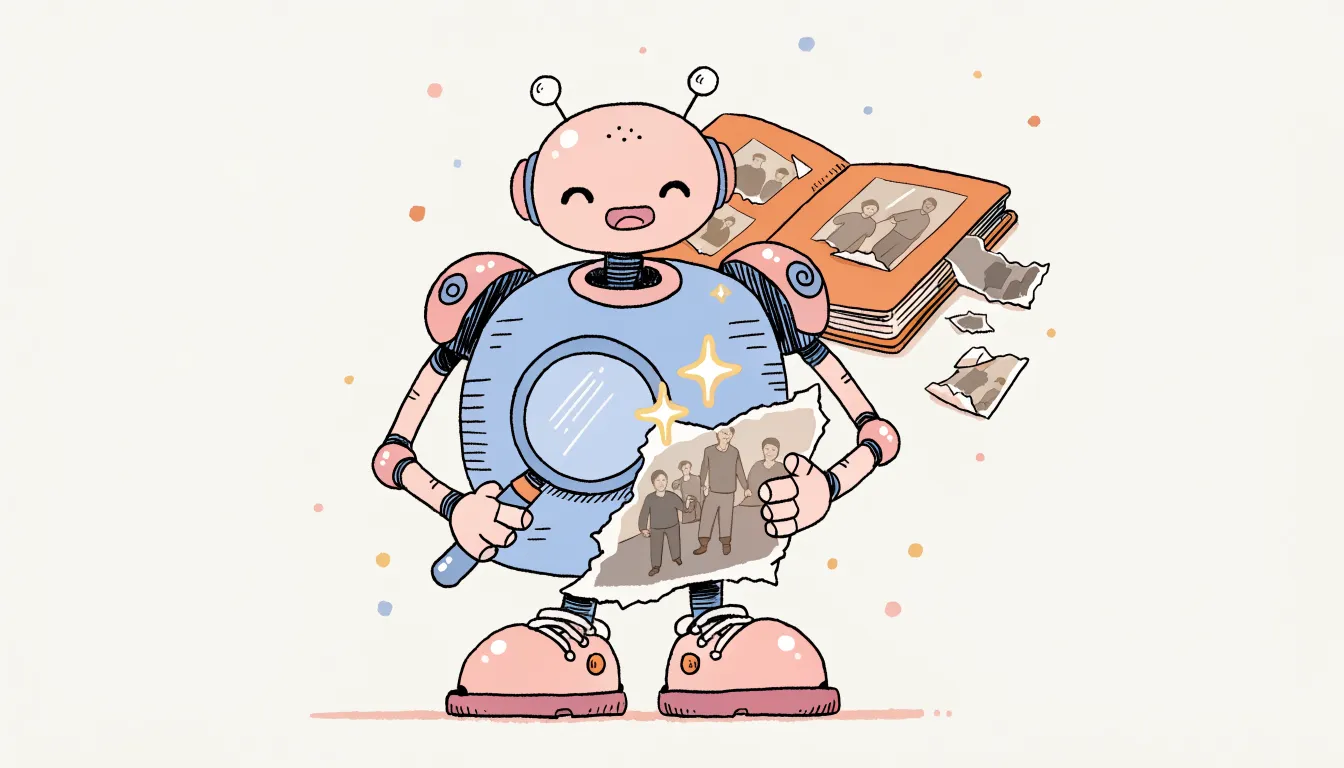
The 2026 wave of image-editing models has changed what is possible for photo restoration. A year ago, restoring a torn, faded, or water-damaged photo still meant either hours in Photoshop or accepting "okay" results from a generic enhancer. The latest generation of models — Nano Banana Pro, Flux 2 Max, GPT Image 2 High, Seedream 5 Lite, and Qwen Edit 2511 — actually understand the scene they are repairing. They reconstruct missing skin, fabric, and architecture in a way that matches the rest of the image instead of smearing pixels around.
Upsampler's Image Restore tool gives you all of these models in one place. No subscription — just one-time credits that never expire. And if you only need a quick fix, the Free AI Image Editor and Free Image Upscaler work without signup.
What's Actually New in 2026
The reason restoration results jumped this year comes down to three things:
- Better scene understanding. New models read the photo as a whole — "this is a 1950s portrait, that scratch crosses skin, the background is a studio backdrop" — and reconstruct each region appropriately.
- Stronger face priors. Face enhancement is now built into most top-tier models, so eyes, mouths, and skin no longer turn waxy after a heavy repair.
- Cleaner colorization. Black-and-white photos get period-appropriate color (uniform tones, skin, foliage, sky) instead of the generic warm sepia wash older models produced.
The practical effect: damage that needed multiple manual passes a year ago now resolves in a single model run.
The Five Latest Models Worth Knowing
| Model | Provider | Quality | Credits | Best For |
|---|---|---|---|---|
| Nano Banana Pro (default) | 5 stars | 18 | Heavy damage, faces, irreplaceable photos | |
| Flux 2 Max | Black Forest Labs | 5 stars | 13 | Top quality at a lower price |
| GPT Image 2 High | OpenAI | 5 stars | 18 | Detail-heavy restorations, complex scenes |
| Seedream 5 Lite | ByteDance | 4 stars | 7 | Landscapes, architecture, non-portrait |
| Qwen Edit 2511 | Alibaba | 4 stars | 6 | Best value with face enhancement |
For a full walkthrough of every model on the platform, see the 15-model comparison.
When to pick which
- Irreplaceable family photo with faces → Nano Banana Pro or Flux 2 Max.
- Tight budget, still need face enhancement → Qwen Edit 2511 (6 credits).
- Landscape, building, or document — no faces → Seedream 5 Lite.
- Highly detailed scene that needs accuracy over style → GPT Image 2 High.
- Trying to match a tone across a batch of photos → Qwen Edit 2511 (consistent results across runs).
A Restoration Workflow That Just Works
This is the order that produces the cleanest results:
- Scan the original at 600 DPI (or photograph it straight-on with good light). More input detail = more for the AI to work with.
- Open Image Restore.
- Pick a model using the table above. If unsure, the default Nano Banana Pro is a safe pick.
- Write a short prompt describing the era and content — e.g. "1940s outdoor wedding portrait, warm natural light, realistic skin tones." Prompts are optional but consistently improve results.
- Enable face enhancement if the photo has people.
- Run repair-and-colorize. Default mode handles damage and color in one pass.
- Upscale the result with the Free Image Upscaler — always restore first, then upscale, never the other way around.
For severe damage that one model can't fully resolve, run the output through a second model (e.g. Nano Banana Pro → Flux 2 Max) for a refining pass.
What These Models Can Actually Fix
The latest 2026 generation handles all of the following reliably:
- Scratches and creases across faces, skin, and detailed areas
- Tears and missing corners — even chunks the size of a face
- Heavy fading and color shift in old prints and slides
- Water damage and staining
- Film grain, JPEG artifacts, and low-resolution scans
- Black-and-white → color with realistic, period-appropriate tones
- Soft, blurry faces (with face enhancement enabled)
Damage that still struggles: very large missing regions where there is no surrounding context to infer from, and photos so degraded that no facial features remain. For those, follow the restore step with inpainting to manually rebuild specific areas.
Pricing — No Subscription Required
This is the part most restoration tools get wrong: they lock the good models behind monthly plans. Upsampler doesn't.
- Free tools (no signup): the Image Editor and Image Upscaler handle most light restoration.
- Premium models (Nano Banana Pro, Flux 2 Max, GPT Image 2 High, etc.): pay-as-you-go credits, no subscription, credits never expire.
If you have a single box of family photos to restore, you buy credits once and never deal with a recurring bill.
FAQ
Are the latest 2026 models really better than last year's?
For restoration, yes — meaningfully. Nano Banana Pro, Flux 2 Max, and GPT Image 2 High produce noticeably more natural faces, fewer "AI smear" artifacts, and more accurate colorization than the 2025 generation. The gap is widest on heavily damaged photos where older models would invent implausible detail.
Which model should I start with?
Nano Banana Pro is the default for a reason — it handles the widest range of damage well. If you want top quality at a lower price, Flux 2 Max matches the 5-star rating at 13 credits instead of 18.
Do I need a prompt?
No, but a short one helps. Even something as simple as "1960s family snapshot, outdoor sunlight" steers the model toward a more accurate restoration than running blind.
Will the colorization look fake?
The 2026 models are notably better at this. Skin tones, foliage, sky, and clothing fabrics come out closer to how the photo would have actually looked. Results aren't perfect — the AI is guessing colors it can't possibly know — but for most photos, the result is convincing.
Should I restore or upscale first?
Always restore first. Upscaling damage just makes the damage bigger. Restore → upscale gives you the cleanest final image.
Start Restoring
Open the Image Restore tool and try Nano Banana Pro on your first photo. If you only need a quick fix, the Free AI Image Editor handles light cleanup with no signup.
No subscription. One-time credits. The latest models. Restore your first photo →
More Articles
Best AI Photo Restoration: 15 Models Compared (2026)
Restore, colorize, and enhance old or damaged photos with AI. Compare 15 restoration models from Google, Black Forest Labs, ByteDance, and Alibaba - all on one platform.
April 13, 2026
How to Restore Old Damaged Photos with AI for Free in 2026
Restore old, damaged, faded, and torn photos using AI for free. Fix scratches, tears, water damage, and missing sections. No signup, no watermarks.
March 20, 2026
How to Colorize Black and White Photos with AI for Free in 2026
Colorize black and white photos using AI for free. Turn old family photos, historical images, and vintage prints into full color with no signup and no watermarks.
March 20, 2026