MAI Image 2.5
Microsoft's in-house image flagship, sitting near the top of the Artificial Analysis text-to-image arena. Distinctly photorealistic output with strong instruction following, natural skin and lighting, and reliable composition. A strong default for realistic scenes, portraits, and product work at a mid-tier price.
At a glance
- Price
- 8 Credits
- Our rating
- Speed
- Average speed
What MAI Image 2.5 is best for
How MAI Image 2.5 performs
Strengths
- photorealism with natural skin and lighting
- strong instruction following
- solid value at a mid-tier price
Limitations
- narrower stylization range than Krea
- fewer aspect ratio options than Nano Banana 2
How to prompt MAI Image 2.5
Practical tips to get the most out of MAI Image 2.5.
- 01describe lighting direction and color temperature explicitly
- 02name camera framing for portraits
- 03keep prompts concrete, it follows instructions literally
Tips are tuned for MAI Image 2.5 specifically.
Made with MAI Image 2.5
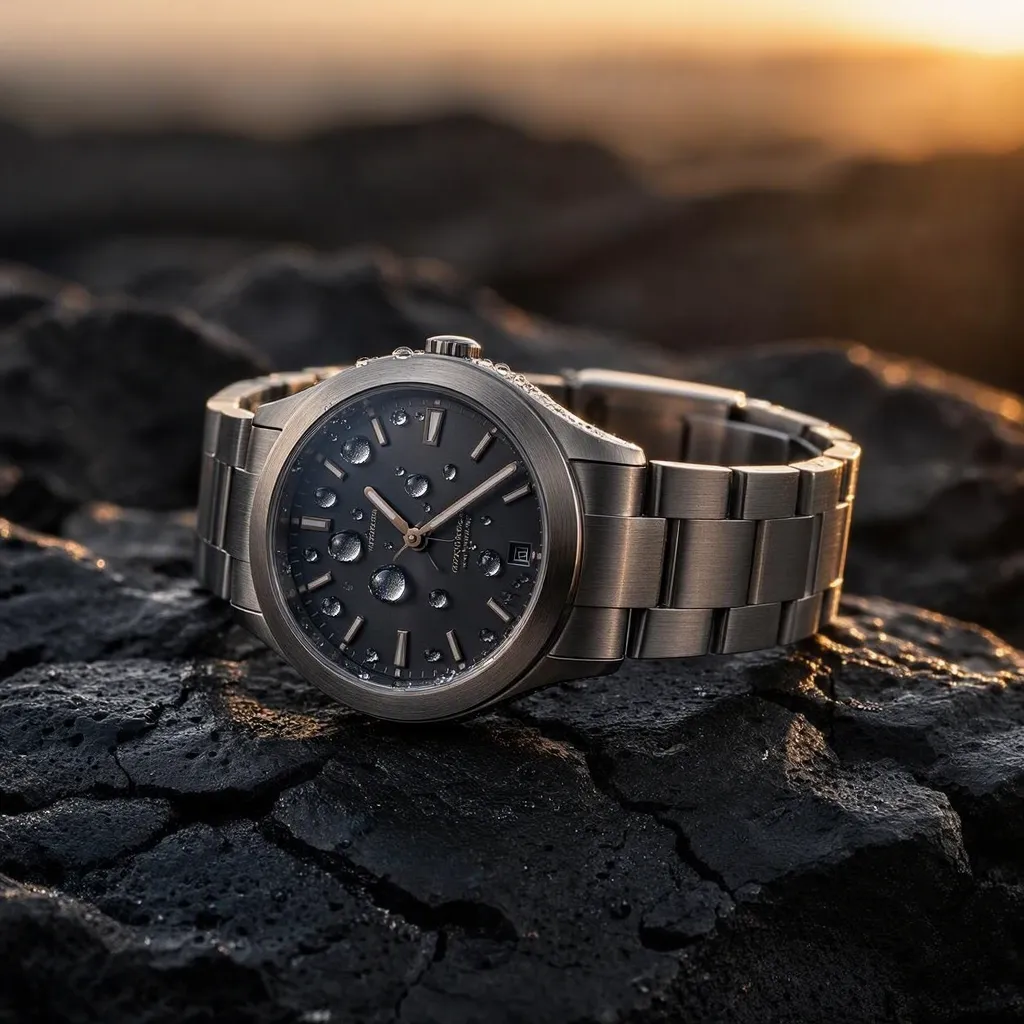
Prompt: A brushed titanium wristwatch lying on cracked black volcanic stone, macro, dew droplets on the sapphire crystal, single low sun raking from the right creating long specular streaks across the case, deep shadows, muted amber and gunmetal palette, commercial product photography, 100mm macro, f/8, tack sharp
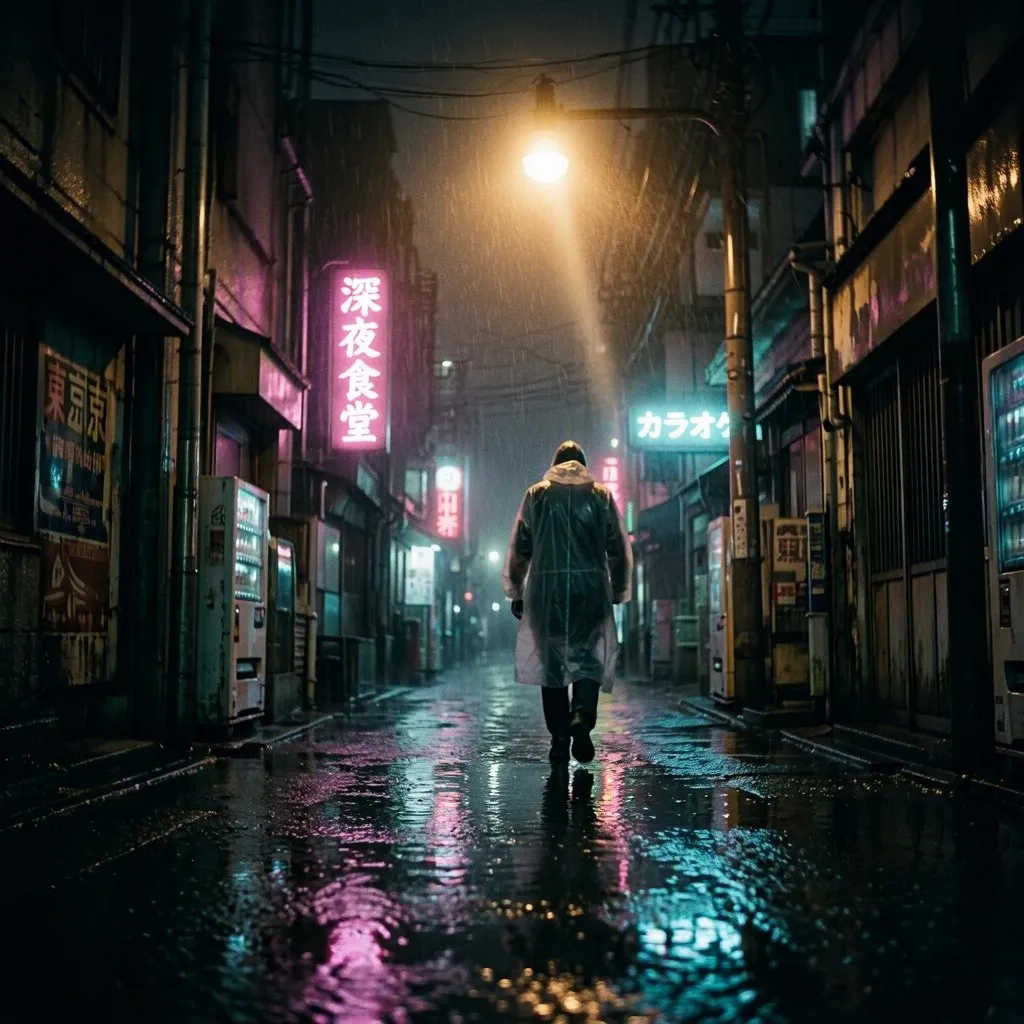
Prompt: Rain-soaked Tokyo alley at 2am seen from a low angle, neon kanji signage reflected in standing water, a lone figure in a translucent raincoat walking away from camera, volumetric haze cut by a single overhead sodium lamp, cyan and magenta only against near-black, anamorphic 40mm, shallow depth of field, film grain
Alternatives to MAI Image 2.5
Other models on Upsampler that cover similar ground.
Nano Banana 2
Google DeepMind's Gemini 3-powered flagship for text-to-image. Renders up to 4K with industry-leading prompt adherence, native multi-image references, and web search grounding for factual scenes. Ideal for product photography with brand consistency, character series across multi-shot campaigns, and complex compositional work that benefits from compositing several references at once.
GPT Image 2 Medium
OpenAI's GPT Image 2 at the medium quality tier. Combines elite prompt adherence with the strongest typography rendering of any image model: exact text in quotes, complex layouts, and packaging mockups all just work. The default choice for production marketing creative when GPT Image 2 High's premium pricing isn't justified.
Seedream 5 Pro
The flagship of the Seedream line. Generates sharp, high-detail images from a text prompt, and can take a reference image to lock a character, product, or style. Carries the cinematic Seedream palette and mood at higher fidelity than Seedream 5 Lite — reach for Lite when you're iterating high-volume and Pro for the hero shot.
Frequently asked questions
What is MAI Image 2.5?
Microsoft's in-house image flagship, sitting near the top of the Artificial Analysis text-to-image arena. Distinctly photorealistic output with strong instruction following, natural skin and lighting, and reliable composition. A strong default for realistic scenes, portraits, and product work at a mid-tier price.
How much does MAI Image 2.5 cost on Upsampler?
8 credits per generation. No subscription, credits never expire.
What are alternatives to MAI Image 2.5?
Common alternatives: Nano Banana 2, GPT Image 2 Medium, Seedream 5 Pro.
Can I try MAI Image 2.5 for free?
You can try a free, no-signup version of our ai image generator. Note that the free version may use a different, lighter model rather than MAI Image 2.5 itself.