Blog
Latest posts from Upsampler.
The Best Magnific AI Alternative: Creative Upscaling Without a Subscription
Magnific is now the whole rebranded Freepik platform with expiring credits. Upsampler matches its creative upscaling for less, adds a faithful Precise mode, and runs on one-time credits that never expire.

Admin
@lucak5s

Magnific popularized creative AI upscaling, and its detail hallucination is still a reference point for concept artists and archviz work. But the product you may remember is not the product that exists today. Freepik acquired Magnific, and in April 2026 the whole company rebranded to Magnific: the upscaler became one tool inside a sprawling credit-based platform, plans start at $20/month, and every credit expires after a year.
If you loved the original for what it did to images, not for the ecosystem around it, Upsampler delivers the same creative upscaling with a simpler deal: subscriptions from $15/month, or one-time credit packs that start at $10 and never expire, at a flat price per upscale regardless of output size.
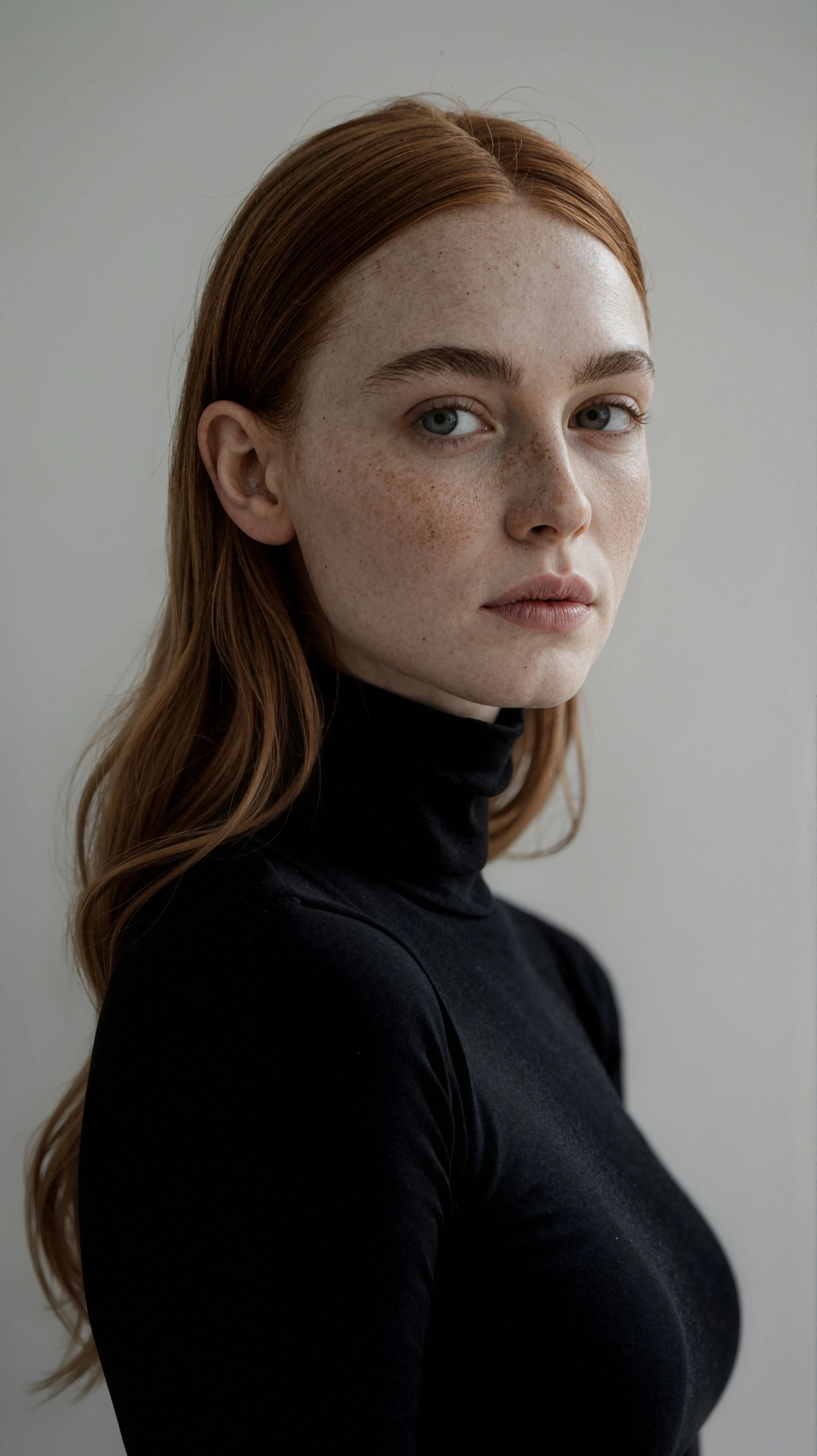
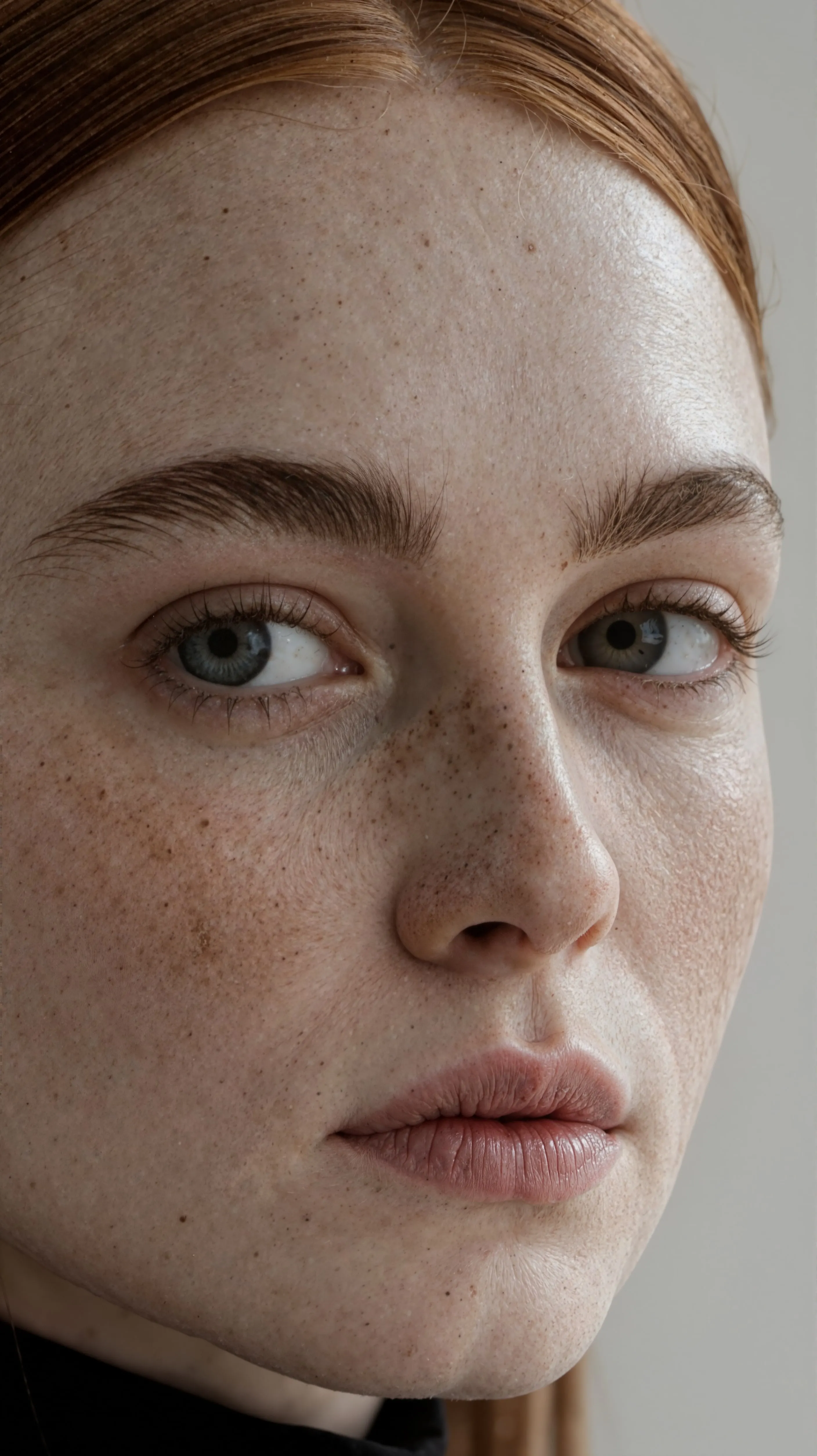
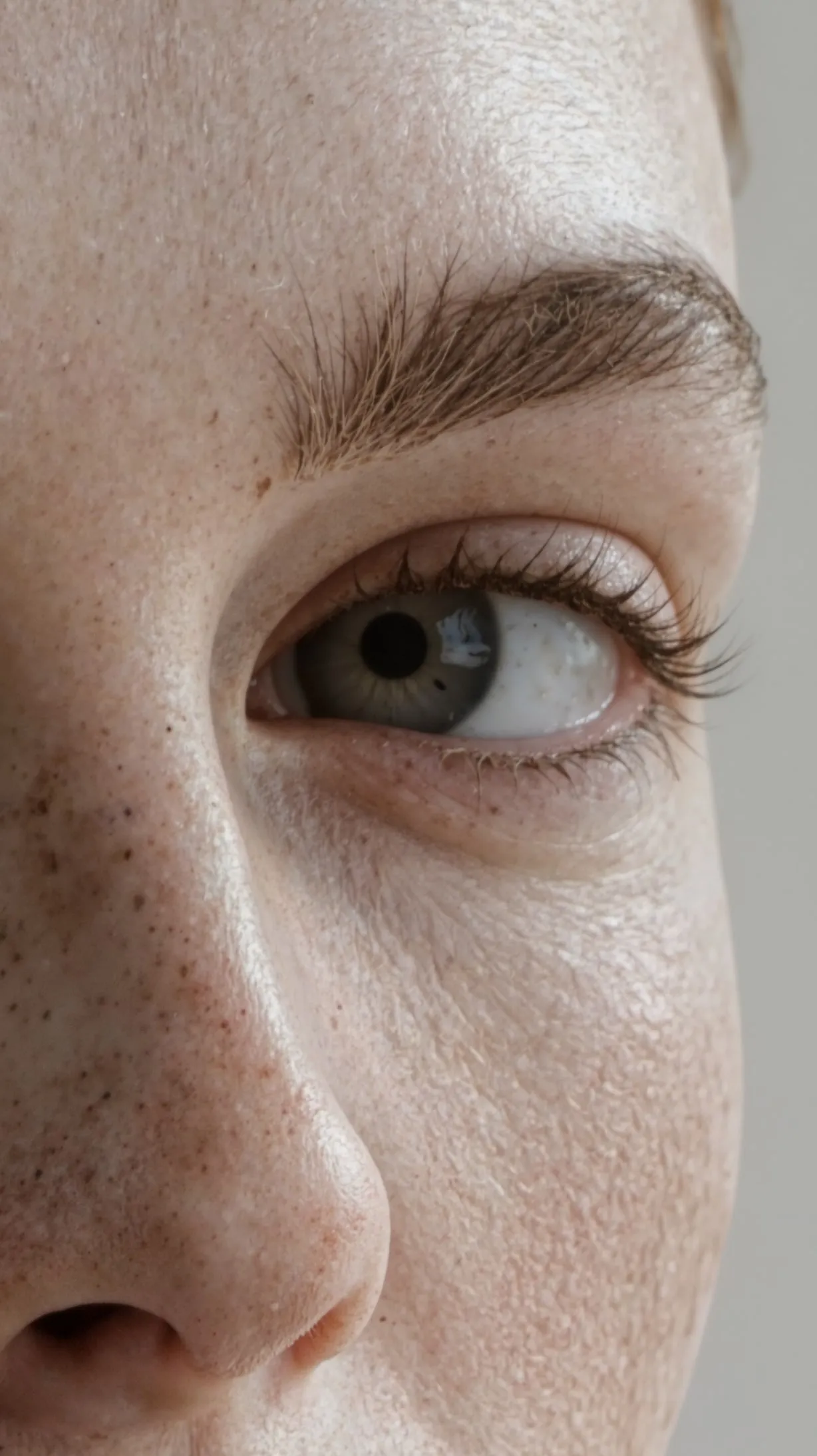
Magnific vs. Upsampler: Feature Comparison
| Feature | Magnific (formerly Freepik) | Upsampler.com |
|---|---|---|
| Pricing | Premium $20/month (240K credits/year); Premium+ $45/month; credits expire after 1 year | Subscriptions from $15/month; one-time credits available (start $10, never expire) |
| Pay Without a Subscription | ❌ No, subscription only | ✅ Yes, one-time credit packs that never expire |
| Upscale Cost | ⚠️ Credit burn scales with output pixels; large upscales get expensive fast | ✅ Flat, predictable credit pricing |
| Creative Upscaling | ✅ Yes | ✅ Yes, with Creative Upscale (Flux) and Creative Upscale (Stable Diffusion) |
| Faithful AI Upscaling | ⚠️ Precision V2 mode, priced by output size like everything else | ✅ Yes, with Precise Upscale (SeedVR2 / GAN) |
| Resolution Limit | 100 megapixels | 50 megapixels with Creative Upscale (Flux), 100 megapixels with Creative Upscale (Stable Diffusion) and Precise Upscale (SeedVR2 / GAN) |
| Preserve Small Faces | ⚠️ Struggles with very small faces | ✅ Creative Upscale has a face-preservation option, and Precise Upscale naturally keeps faces intact |
| Handling Very Low-Quality Images | ⚠️ Limited, requires high creativity settings | ✅ Great handling of low-quality images |
| Regional Creativity | ❌ No | ✅ Yes, different creativity per image region |
| Image Edit / Inpainting | ✅ Yes (part of the wider suite) | ✅ Yes |
| Image Generation | ✅ Yes (part of the wider suite) | ✅ Yes, Upsampler integrates Imagen, GPT-4o, Flux 1.1 Pro, Recraft V3, Ideogram, and more |
| Public Upscaling API | ✅ Yes | ✅ Yes |
Why Creators Switch
The complaints that push people to look for an alternative are rarely about output quality. They are about the business model. Every Magnific credit expires after a year, and upscale cost scales with output pixel area, so the large prints and detailed renders you actually bought the tool for burn credits fastest. If you upscale in bursts, a portfolio one month and nothing the next, you keep paying for capacity you forfeit.
Upsampler was built around the opposite assumption. You can subscribe if you upscale constantly, but you can also buy a one-time credit pack starting at $10 and spend it whenever you like, this year or next, at a flat price per upscale. For occasional client work, that alone cuts the yearly cost by an order of magnitude.
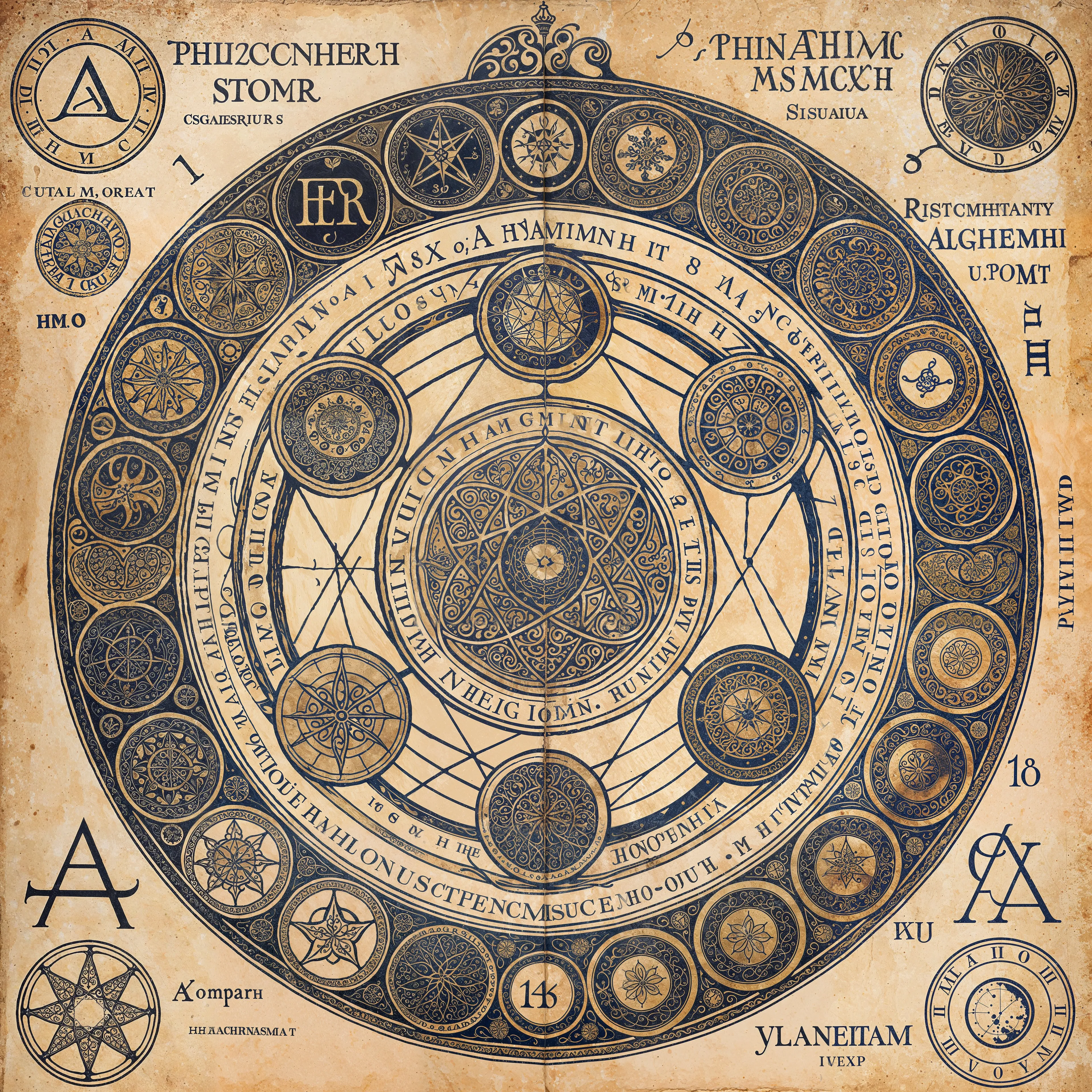
Magnific vs. Upsampler: Image Comparison
Upsampler.com
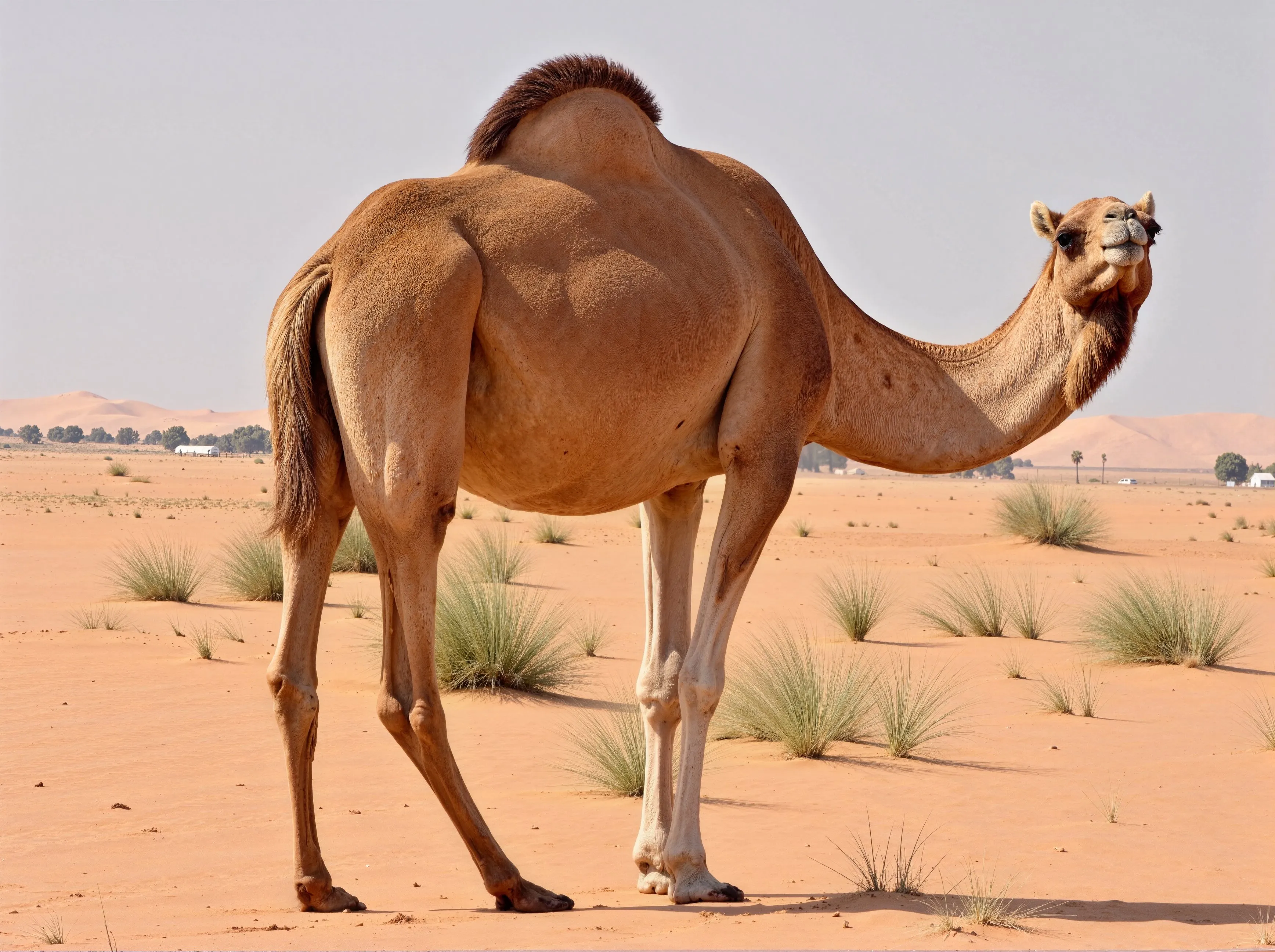
Camel enhanced with Creative Upscale
Magnific AI
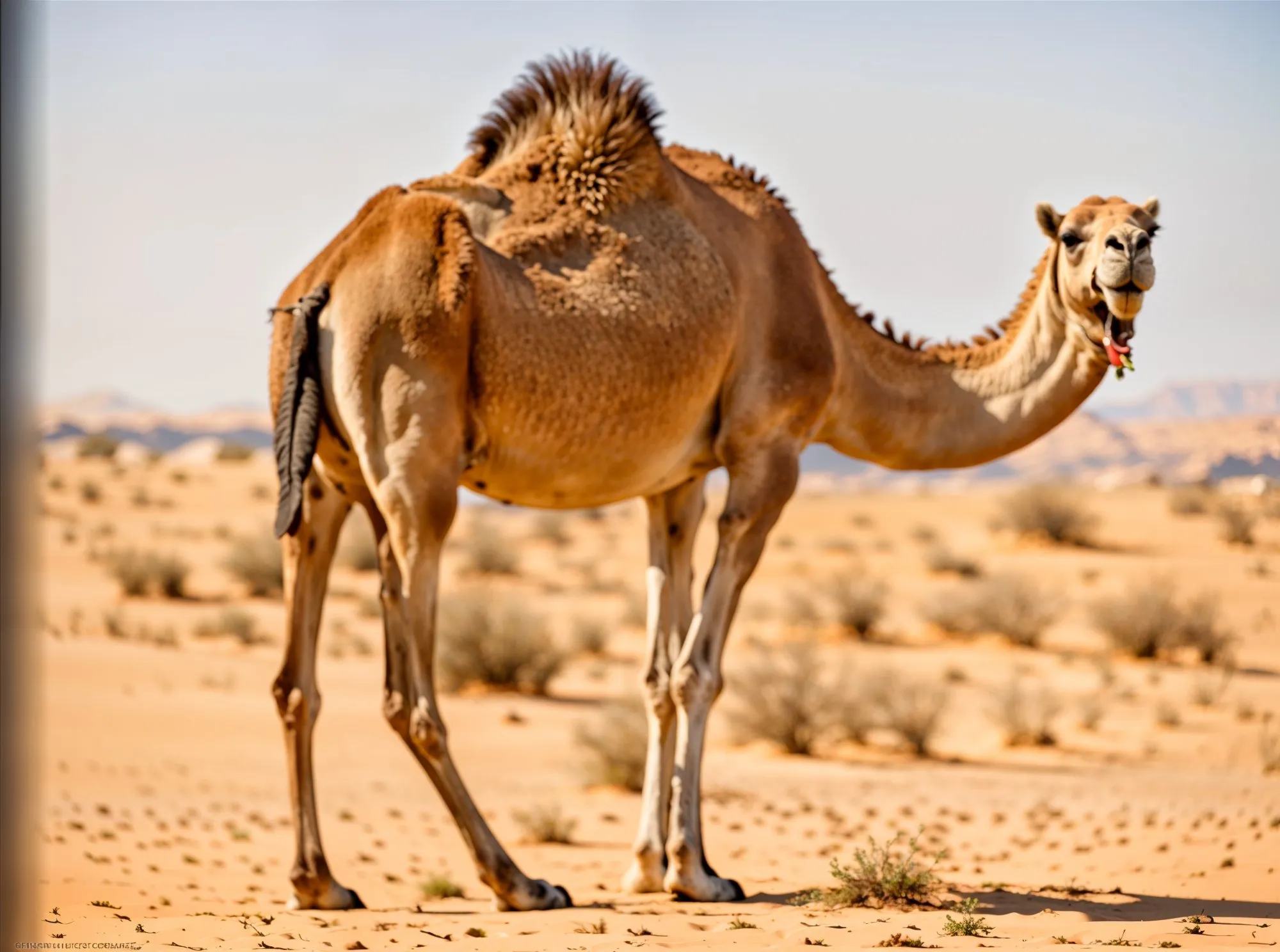
Upsampler.com
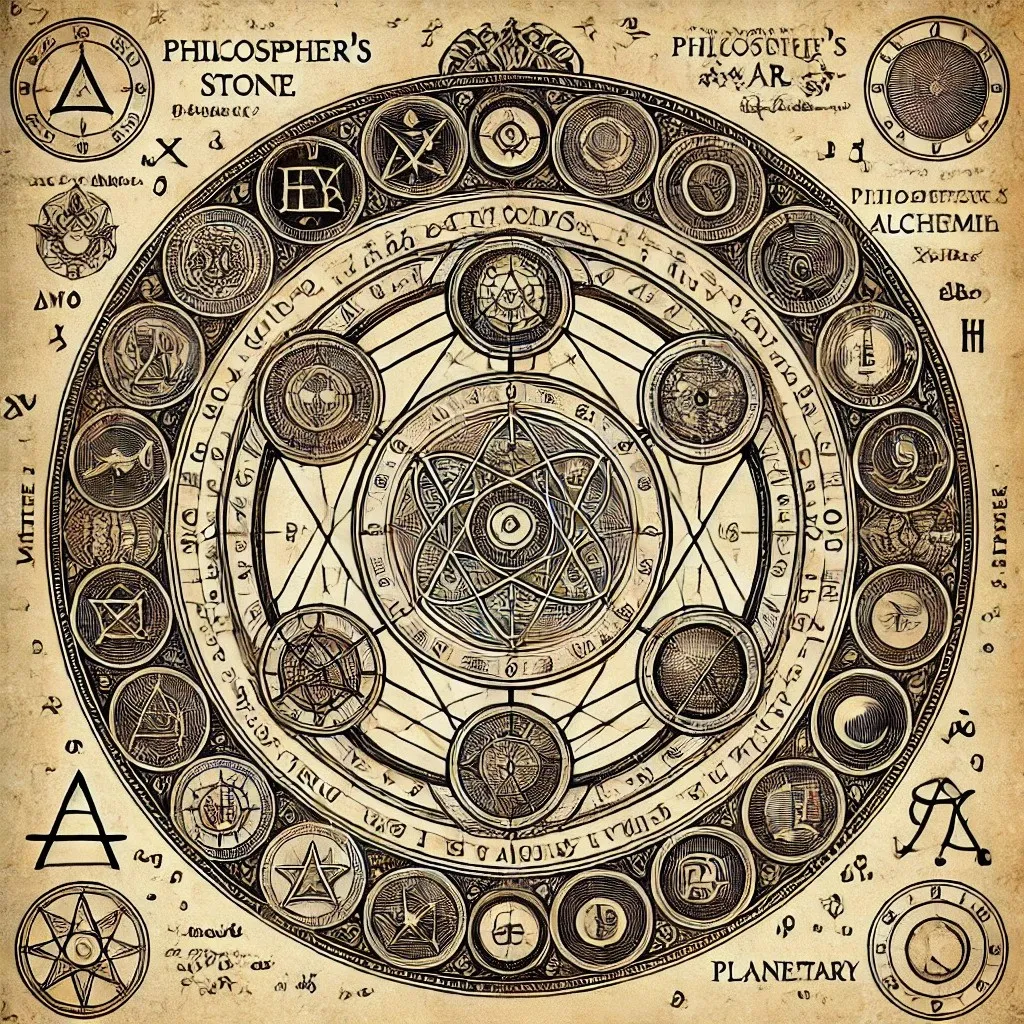
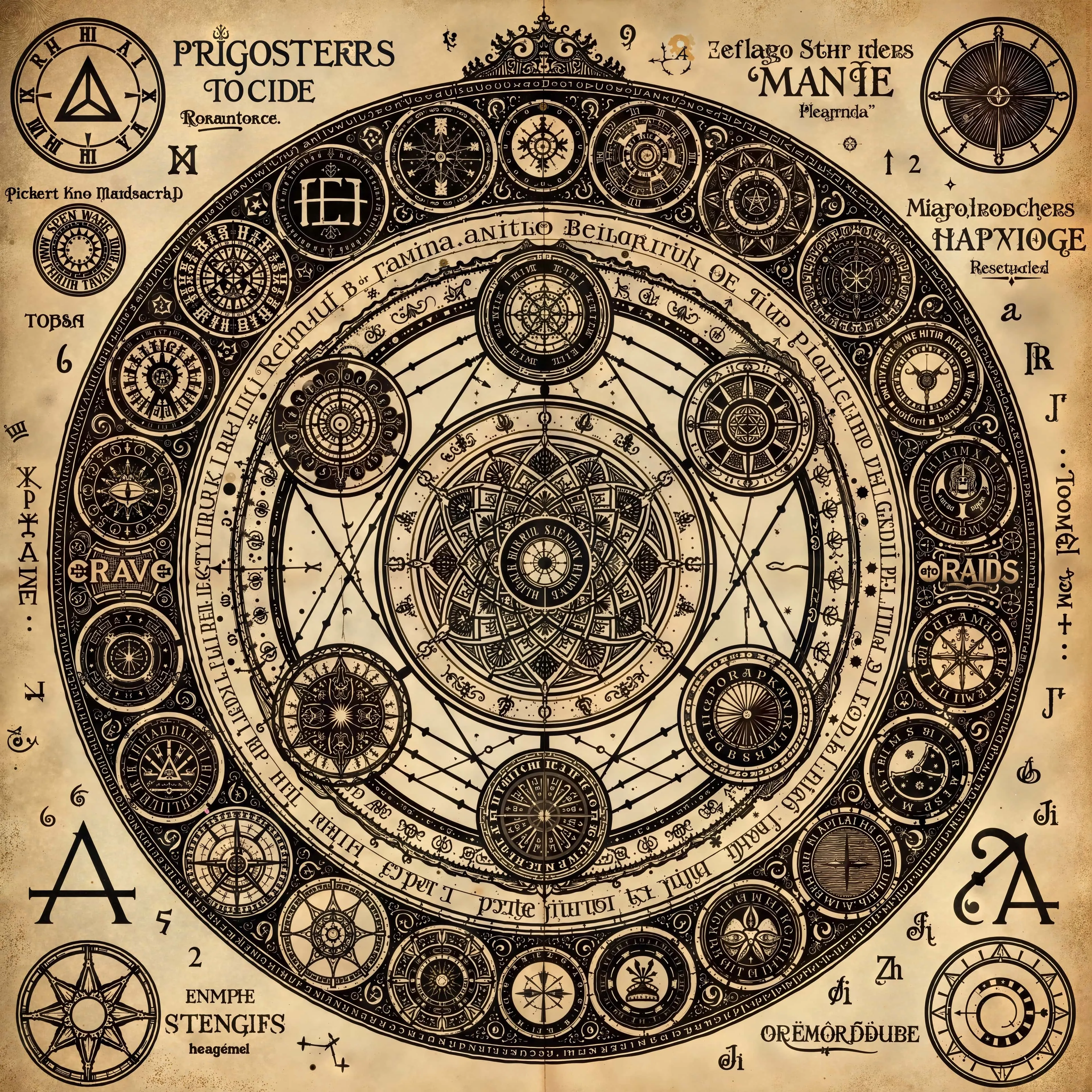
Alchemist diagram enhanced with Creative Upscale
Magnific AI
What Creative Upscaling Actually Does Under the Hood
Understanding the mechanism explains both the magic and the risk. A creative upscaler does not stretch pixels; it runs a diffusion model that re-generates the image at the target resolution while using your original as guidance. The model literally repaints every pixel, which is why it can invent skin pores, fabric weave, and foliage that were never in the source, and also why a face can come back subtly wrong: it is a new painting, not an enlargement.
Sliders like Magnific's Creativity and Resemblance simply control how tightly the re-generation is chained to the guidance. Faithful upscalers such as SeedVR2 or GANs belong to a different algorithm family that treats the original content as fixed and only reconstructs resolution and cleanliness. No slider setting turns one family into the other, which is why a serious workflow needs access to both, and why Upsampler ships them as two first-class modes instead of one pipeline with a fidelity knob.
Magnific's Sliders, Translated to Upsampler
If you already know your favorite Magnific recipe, the transfer is mostly one-to-one:
| Magnific control | What it does | Upsampler equivalent |
|---|---|---|
| Creativity | How far the AI departs from the source | Creativity setting in Creative Upscale |
| Resemblance | Pulls the result back toward the original | Lower the creativity setting, or switch fragile images to Precise Upscale |
| Fractality | How strongly the prompt shapes micro-detail | Prompt plus a higher creativity value |
| Engines (Illusio / Sharpy / Sparkle) | Style presets for illustration vs. photo output | Engine choice: Stable Diffusion (classic look) or Flux (newer, stronger on faces and text) |
| Prompt guidance | Describes the image to steer added detail | Optional prompt in Creative Upscale |
| Precision V2 mode | Fidelity-first upscaling | Precise Upscale (SeedVR2 / GAN), at flat credit cost |
| No equivalent | Different intensity per image region | Regional Creativity |
Which Mode for Which Image: a Cheat Sheet
The fastest way to good results is routing each image type to the right engine rather than tuning sliders blind:
- AI art, concept art, archviz renders: Creative Upscale with medium-to-high creativity; this is the classic Magnific use case, and detailed settings live in the AI art upscaling guide.
- AI portraits with plastic skin: Creative Upscale with face preservation on and low-to-medium creativity; the skin texture enhancer guide shows the exact settings.
- Client photos, products, packaging: Precise Upscale; nothing gets repainted, labels and faces stay exact.
- Anime and illustration line work: Precise Upscale; creative pipelines repaint lines. Our waifu2x comparison digs into anime-specific upscaling.
- Screenshots, scans, text-heavy images: Precise Upscale, with specifics in the text upscaling guide.


Portrait upscaled with Creative Upscale
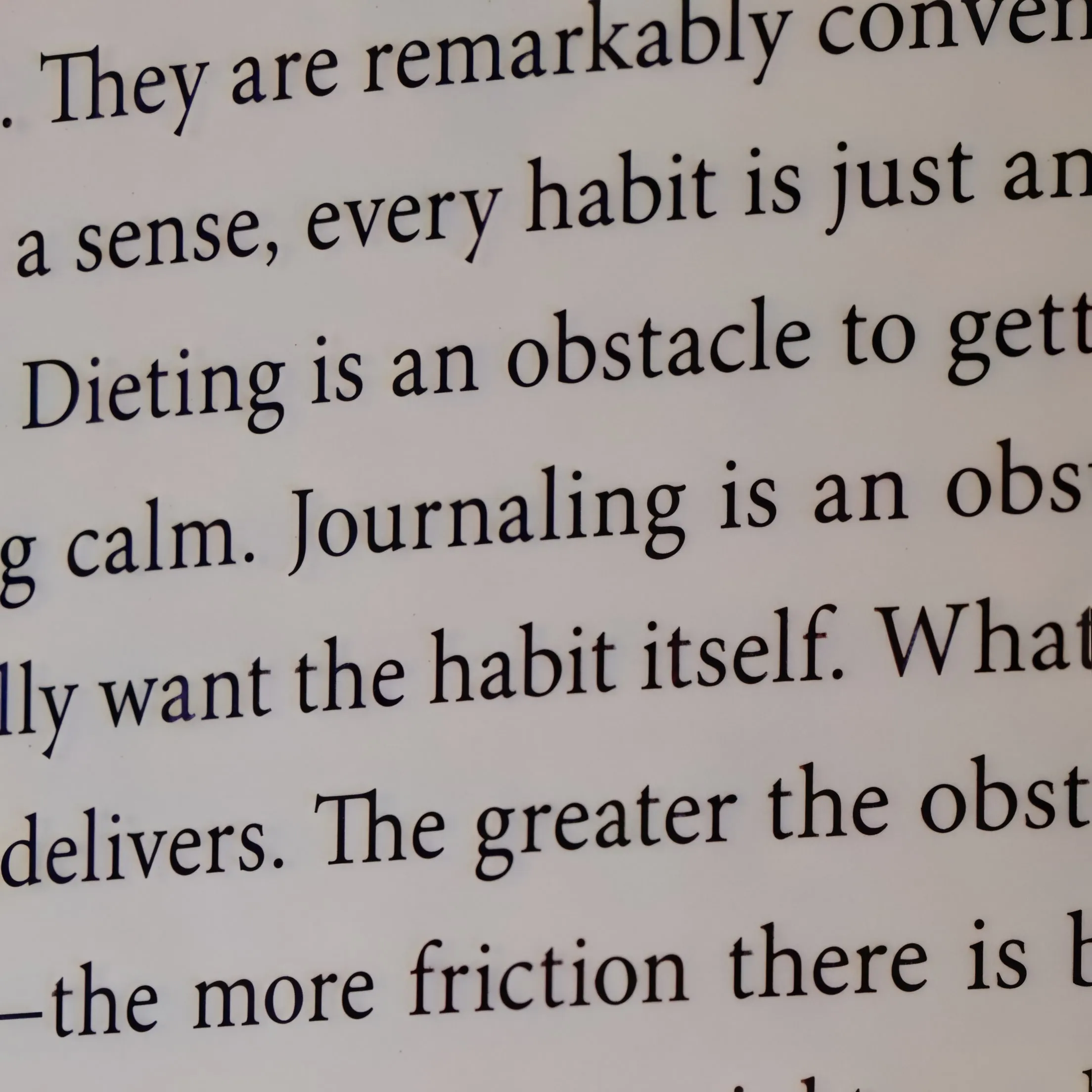
Text upscaled with Precise Upscale
Where Magnific Still Wins
An honest comparison cuts both ways. Magnific's interface is polished, its style presets are well tuned, and the platform now bundles image, video, and audio generation plus the former Freepik stock library; if your team already lives in that ecosystem, one subscription covering everything may be genuinely convenient. Extras like Relight and Style Transfer have no direct Upsampler equivalent, and its creative pipeline reaches 16x output. If none of those points is decisive for you, the price difference usually is.
Frequently Asked Questions
Is Upsampler really cheaper than Magnific?
For upscaling, usually yes. Magnific's plans start at $20/month (Premium, 240K credits per year), but upscale cost scales with output pixel area, so a single large upscale can burn through credits fast, and all credits expire after a year. Upsampler subscriptions start at $15/month, and you can skip subscribing entirely: one-time credit packs start at $10 and never expire, so occasional upscaling costs you nothing in idle months.
What happened to Magnific AI? Is it the same as Freepik now?
Freepik acquired Magnific, and in April 2026 the whole company rebranded to Magnific: the upscaler brand became the name of the entire platform at magnific.com. The old standalone magnific.ai plans ($39 to $299/month) were retired, and the upscaler is now one tool inside a large credit-based suite. Most reviews you will find still quote pricing that no longer exists.
Can Upsampler match Magnific's "reimagine" upscaling effect?
Creative Upscale (Flux or Stable Diffusion) does the same thing Magnific is famous for: it regenerates the image at a higher resolution, adding realistic skin texture, sharper materials, and new micro-detail. A creativity setting controls how far the AI departs from the original, and Regional Creativity lets you apply different intensities to different parts of the image, which Magnific cannot do.
Is Magnific AI free to try?
Not meaningfully. Since the Freepik merger, the free tier grants a small daily allowance of generation credits, and upscaling large images burns credits so fast that the allowance rarely covers a real test. Upsampler's free image upscaler works without an account, so you can compare both tools on the same image before paying either one.
Does Upsampler offer an API like Magnific?
Yes. The Upsampler API exposes both Creative and Precise upscaling for programmatic and bulk workloads, with the same pay-as-you-go credits, which keeps batch costs predictable compared to token subscriptions.
Magnific vs Topaz Gigapixel: which type of upscaler do I need?
They solve different problems. Magnific re-generates the image and invents detail, which is ideal for AI art and concept work but risky for real photos. Topaz Gigapixel enlarges faithfully, which is safe but cannot add detail the source lacks. Upsampler ships both approaches, so you choose per image instead of per subscription. Our Topaz Gigapixel comparison covers the faithful side in the same depth as this page.
Comparing Other Upscalers Too?
Most people shopping for a Magnific alternative also shortlist a fidelity-first tool or the open-source route. We keep equally honest breakdowns of Topaz Gigapixel, the open-source Clarity AI, and Let's Enhance, so you can weigh all four side by side before spending anything.
Conclusion
If you want the creative upscaling Magnific is known for with easy control, affordability, and results you can verify before paying, Upsampler is the strongest alternative: the same reimagining quality, a faithful Precise mode for the images that must not change, and one-time credits that never expire.
👉 Test the pipeline on the free no-signup upscaler first, then bring your real work over with a $10 credit pack.
More Articles
Increase DPI of Image Online without Losing Quality! Change Images to 300 DPI or More!
Discover how to effectively increase the DPI of your images online for free or with advanced AI tools. Learn to change images to 300 DPI or more for stunning, print-ready results without losing quality.
May 12, 2025
Image Edit Online: Get Started with AI Inpainting
Fix imperfections, add new content, or remove unwanted elements with precision. Use our AI Image Edit tool to regenerate specific parts of an image before or after upscaling.
January 27, 2025