Blog
Latest posts from Upsampler.
AI SVG Generator: Vector Art with Recraft V4 (2026)
Generate production-ready SVG vector art, logos, and illustrations with AI. Use Recraft V4 and V4 SVG on Upsampler - the best AI vector generator online in 2026.

Admin
@lucak5s
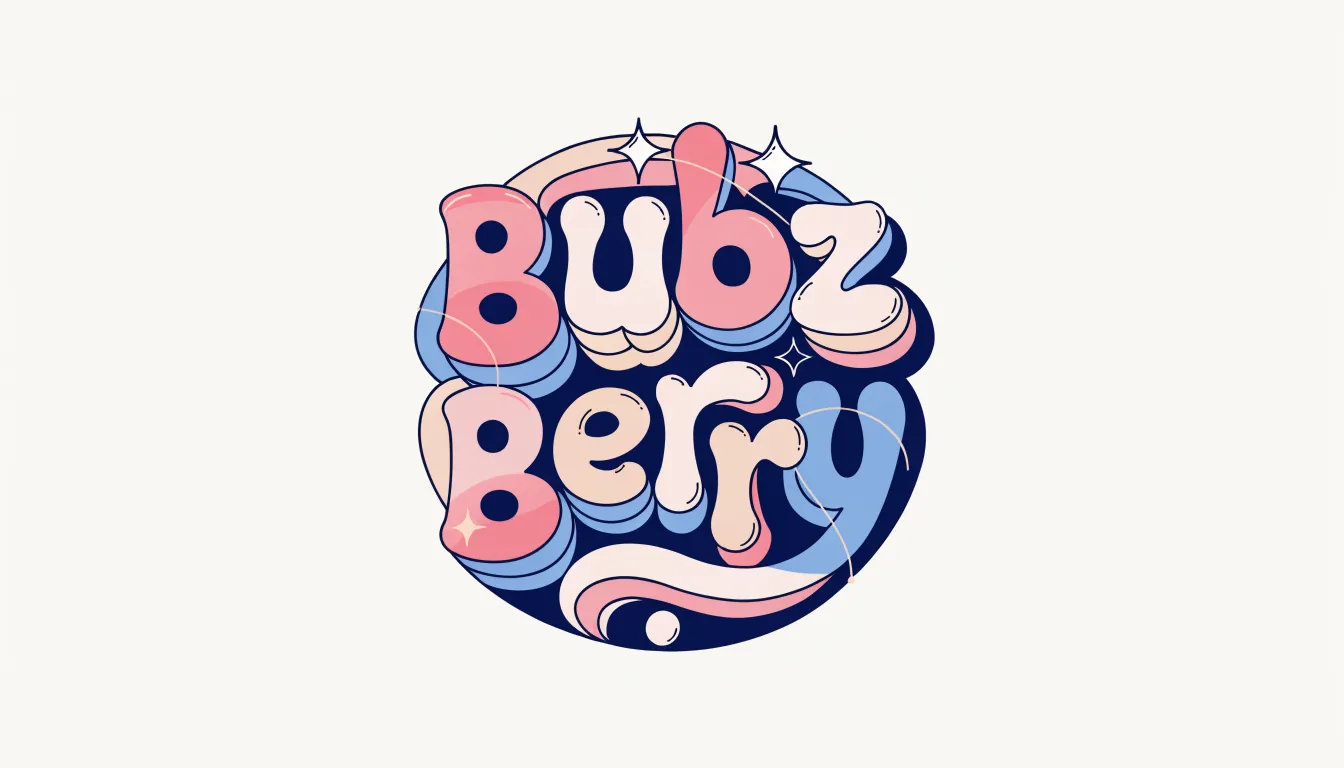
AI SVG Generator: Vector Art and Logos with Recraft V4 (2026)
Every designer has felt the friction: you need a quick logo, an icon set, or a vector illustration, and the options are either spending hours in Adobe Illustrator or paying a designer and waiting days. AI image generators can create stunning raster images in seconds, but they output PNGs and JPEGs - pixel-based formats that cannot scale without quality loss and cannot be easily edited in vector tools.
What if an AI could generate production-ready SVG files directly?
Recraft V4 SVG does exactly that. Available on Upsampler, it is one of the only AI models in the world that generates native SVG vector output - scalable, editable, lightweight files ready for logos, icons, web graphics, and print production. Combined with the broader Recraft family for raster generation, you have a complete AI design toolkit.
Why SVG Output Matters
Before diving into the models, it is worth understanding why SVG output is such a breakthrough for AI image generation.
Infinite Scalability
SVG (Scalable Vector Graphics) files are defined by mathematical paths, not pixels. A logo generated as an SVG looks perfect at 16x16 pixels for a favicon and equally perfect blown up to a 10-foot banner. Raster formats like PNG and JPEG degrade when enlarged - SVGs do not.
Editable by Design
SVGs open natively in vector editors like Adobe Illustrator, Figma, Affinity Designer, and Inkscape. You can modify individual paths, change colors, adjust proportions, and rearrange elements. A PNG from a typical AI generator is a flat image - what you get is what you get. An SVG is a starting point you can refine.
Tiny File Sizes
SVGs are typically 10-100x smaller than equivalent raster images. A logo that would be 500KB as a high-res PNG might be 5KB as an SVG. This matters for web performance, email templates, and mobile applications.
Native Web Format
SVGs render natively in all modern browsers without any plugins or special handling. They can be styled with CSS, animated with JavaScript, and embedded directly in HTML. For web developers and designers, SVG is the gold standard for icons, illustrations, and interface elements.
Recraft Models on Upsampler
The Recraft family includes four models, each targeting different output types.
Recraft V4 - 4 Credits (5-Star Rating)
The flagship raster model. Recraft V4 is design-taste-driven, meaning it has been trained to produce outputs that are not just technically accurate but aesthetically pleasing. Strong prompt accuracy and excellent typography make it one of the top generation models on the platform.
Best for: High-quality image generation with a designer's eye for aesthetics, marketing materials, social media graphics, and any visual content where design quality matters.
Recraft V4 SVG - 8 Credits (5-Star Rating)
The star of this guide. Recraft V4 SVG generates production-ready SVG vector files from text prompts. This is an extremely rare capability - almost no other AI model outputs native vector format. The SVGs are clean, well-structured, and ready for direct use or further refinement in vector editors.
Best for: Logos, icons, brand marks, simple illustrations, web graphics, and any design element that needs to scale infinitely or be edited in a vector tool.
Recraft V3 Realism - 4 Credits
The photorealistic specialist from the V3 generation. Strong at long text rendering and realistic outputs. A solid choice when you need photographic quality with good text handling.
Best for: Product mockups, realistic scenes with text overlays, signage previews.
Recraft V3 Digital Illustration - 4 Credits
The illustration specialist. Same V3 architecture tuned for digital illustration styles - flat design, editorial illustration, character art, and stylized graphics.
Best for: Blog illustrations, editorial graphics, character designs, stylized art.
How to Generate SVG Vector Art with AI
Creating vector art with Recraft V4 SVG on Upsampler takes under a minute:
- Open the Image Generator. Visit the Free AI Image Generator for a quick start, or go to the Image Generation tool for full model access.
- Select Recraft V4 SVG. Choose it from the model dropdown.
- Write a clear, design-focused prompt. Be specific about style, colors, and composition. For example: "Minimalist mountain logo with a sunrise, clean lines, blue and orange color palette, suitable for an outdoor brand."
- Choose your aspect ratio. Select the format that matches your intended use.
- Generate. The model will produce an SVG file that you can download and open directly in any vector editor.
- Refine if needed. Open the SVG in Figma, Illustrator, or Inkscape to adjust colors, paths, and layout.
Use Cases for AI-Generated SVGs
Logo Design and Branding
Generate logo concepts in seconds. Use Recraft V4 SVG to explore dozens of directions quickly, then refine your favorite in a vector editor. This workflow replaces the traditional process of sketching, digitizing, and iterating in Illustrator - cutting hours or days from the design process.
Icon Sets
Need a consistent set of 20 icons for a web application? Generate them with similar prompts to maintain style consistency, download the SVGs, and integrate them directly into your codebase. SVGs can be styled with CSS for easy color theming.
Web Illustrations
Create hero illustrations, feature graphics, and decorative elements that render perfectly at any screen size. SVGs load faster than PNGs and look sharp on retina displays.
Print-on-Demand
Generate vector designs for t-shirts, mugs, phone cases, and other merchandise. SVG output means your designs scale to any print size without quality loss. Learn more in our print-on-demand AI tools guide.
Brand Assets
Generate brand patterns, decorative elements, and supporting graphics that maintain consistency with your visual identity. The design-taste focus of Recraft V4 helps ensure outputs feel intentionally designed rather than randomly generated.
Recraft V4 vs. Other AI Image Generators
| Feature | Recraft V4 SVG | DALL-E 3 | Midjourney | Flux 2 Max | Adobe Firefly |
|---|---|---|---|---|---|
| SVG Output | Yes | No | No | No | No |
| Vector Editable | Yes | No | No | No | No |
| Design Quality | Excellent | Good | Excellent | Good | Good |
| Typography | Strong | Moderate | Limited | Limited | Moderate |
| Subscription Required | No (pay-per-use) | Yes ($20/mo) | Yes ($10/mo) | No (pay-per-use) | Yes (Adobe CC) |
| Cost Per Image | 8 credits | Included in sub | Included in sub | 10 credits | Included in sub |
No other major AI image generator produces native SVG output. This alone makes Recraft V4 SVG unique in the market.
Tips for Better AI-Generated Vectors
- Keep it simple. SVGs work best for clean, graphic designs. Avoid prompting for photorealistic content - use Recraft V4 (raster) or V3 Realism for that.
- Specify style explicitly. Include terms like "minimalist," "flat design," "line art," "geometric," or "icon style" to push the output toward cleaner vector aesthetics.
- Describe color palettes. "Blue and white color scheme" or "monochrome black" helps the model produce cohesive color choices.
- Think in shapes. Prompts that reference geometric forms ("circular logo," "hexagonal badge," "triangular mountain") tend to produce cleaner SVG output.
- Iterate with raster first. If you are unsure about the concept, generate a quick draft with Recraft V4 (4 credits) in raster, then regenerate the final version as SVG (8 credits) once you have nailed the prompt.
Beyond Generation: The Full Recraft Workflow on Upsampler
While Recraft models focus on generation, Upsampler's other tools complete the workflow:
- Edit raster drafts with the Free AI Image Editor (fast Qwen Image Edit, prompt-only) or use Flux Fill Pro, Seedream 4.5, and other editors in the Image Edit tool with credits
- Upscale raster outputs with the Free AI Image Upscaler to 4K or 8K for print
- Remove backgrounds with the Free Background Remover for transparent PNG exports
- Generate captions for your designs with the Free Image Captioning tool for SEO and accessibility
Frequently Asked Questions
Can I use AI-generated SVGs commercially?
Yes. Images generated on Upsampler are yours to use for personal and commercial purposes. There are no watermarks, no metadata restrictions, and no licensing fees.
Do I need design experience to use Recraft V4 SVG?
No. The model handles the design execution - you just describe what you want in plain language. However, having a vector editor like Figma (free) or Inkscape (free) available to refine the output will help you get the most from the SVG files.
How does the quality compare to a human designer?
Recraft V4 SVG produces excellent initial concepts that rival professional logo drafts. For final production work, you will likely want to refine the SVG in a vector editor - adjusting paths, fine-tuning proportions, and ensuring brand consistency. Think of it as a powerful starting point, not a replacement for the entire design process.
Can I generate multiple variations quickly?
Yes. Generate several versions with slightly different prompts, compare them side by side, and pick the best one. At 8 credits per generation, testing multiple directions is far cheaper than commissioning multiple design drafts.
What vector editors can open the SVG files?
All major vector editors support SVG: Adobe Illustrator, Figma, Sketch, Affinity Designer, Inkscape (free), and CorelDRAW. SVGs also open directly in web browsers.
Is there a free option to try?
Yes - the Free AI Image Generator lets you try other models (Z-Image Turbo, Wan 2.2, Qwen Image, Flux 2 Klein) with daily GPU minutes. Recraft V4 and Recraft V4 SVG are not on that free page; use one-time credits (no subscription, never expire) in the Image Generation tool for Recraft.
Generate Vector Art with AI Today
AI-generated SVGs are no longer a concept - they are a production-ready reality. Recraft V4 SVG on Upsampler lets you generate logos, icons, illustrations, and brand assets as clean, editable vector files in seconds.
Explore free generation to try Upsampler with no signup, then open Recraft V4 / Recraft V4 SVG in the Upsampler dashboard.
Try AI SVG Generation Now - create production-ready vector art from text in seconds.
More Articles
Best Free AI Image Generator in 2026: Create AI Art With No Signup or Watermarks
Discover the best free AI image generators in 2026. Generate stunning AI images from text with no signup, no watermarks, and free GPU minutes.
February 20, 2026
Ultimate Guide to Print-on-Demand AI – Best Tools for Faster Success on Etsy, Amazon Merch, Redbubble, Spreadshirt & More
Your ultimate guide to Print-on-Demand AI. Discover top AI tools for research, design, upscaling, mockups & uploads on Etsy, Amazon Merch, Redbubble & more.
May 10, 2025
AI Image Generation Prompt Guide: Write Better Prompts for Stunning Results
Learn how to write effective AI image generation prompts. Master prompt formulas, style keywords, and model-specific tips to create stunning AI art with generators like Flux, Recraft, GPT Image, and more.
March 20, 2026